
Niagara Launcher
Screenshots
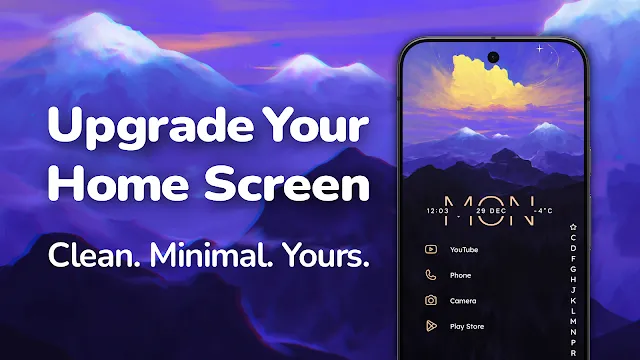
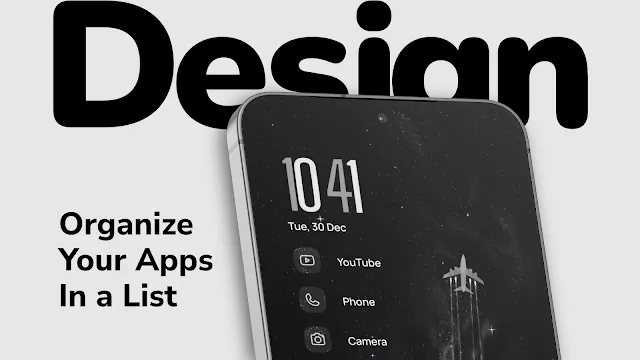
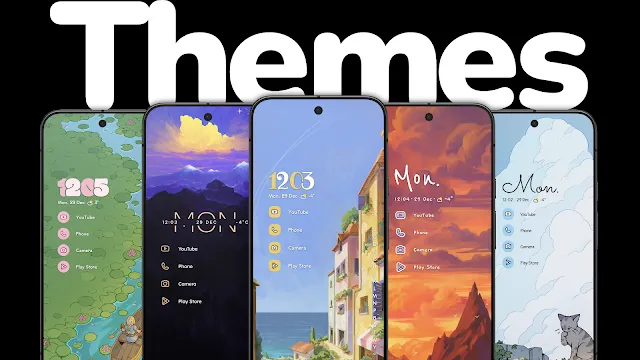
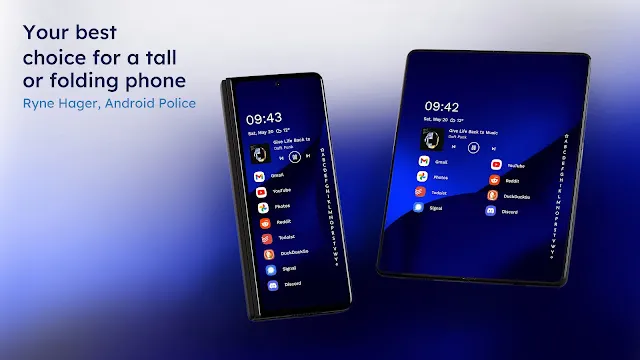
Niagara Launcher offers a completely fresh way to organize your mobile home screen. This efficient application replaces your standard cluttered user interface with a clean layout. Consequently, you can access your favorite apps much faster than ever before.
Many smartphone users prefer this minimal design because it reduces visual distractions during daily phone use. In addition, the lightweight build ensures smooth performance on almost any modern mobile device. Therefore, it transforms your everyday smartphone experience completely.
Why Users Choose This Minimalist Design
People often feel deeply overwhelmed by too many icons and complicated widgets on their screens. For example, standard phone layouts crowd your display with unnecessary visual noise. This clean alternative solves that exact problem by focusing entirely on pure simplicity.
Moreover, you can navigate your entire mobile device comfortably using just one single hand. This ergonomic advantage helps you stay highly efficient while multitasking throughout a busy day. In short, it redefines how you interact with your phone daily.
Key Features of Niagara Launcher App For Android
This launcher includes several unique tools that greatly improve your daily smartphone efficiency. For instance, the intelligent software adapts to your specific usage habits over time. As a result, it displays the right information exactly when you need it.
You can also customize the overall appearance to match your personal aesthetic preferences perfectly. That is to say, you control the fonts, icons, and colors completely. Let us explore these core features in detail below.
Wave Alphabet Navigation
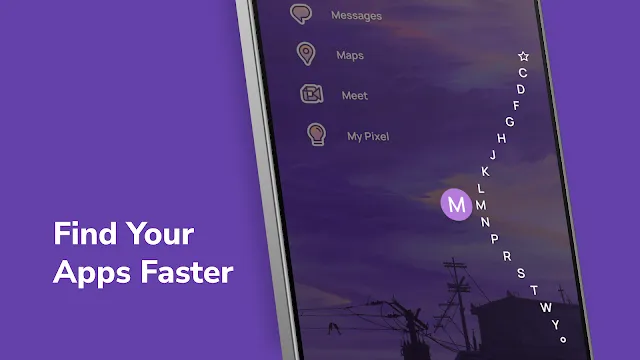
The wave alphabet scroll provides a highly efficient way to locate your favorite software. You simply slide your finger along the right edge of your touch screen. During this movement, a beautiful fluid animation reveals your entire app list.
This means you do not need to swipe through multiple messy pages anymore. Consequently, you save valuable time during urgent tasks throughout your day. Above all, the scrolling action feels incredibly satisfying and responsive.
Embedded Notification Previews
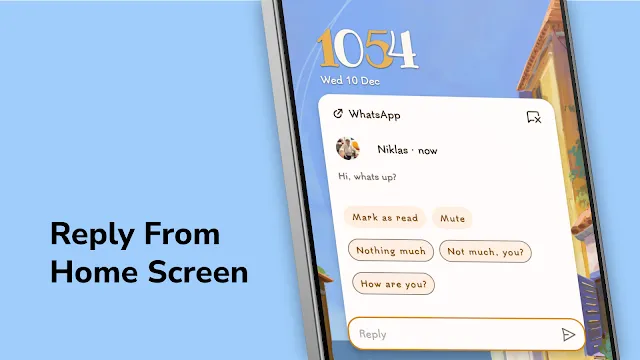
You can read and respond to notifications directly from your main home screen. For example, incoming messages appear right next to the corresponding app icon. Therefore, you do not need to pull down the notification shade constantly.
This smart function allows you to skim your latest updates almost instantly. But you can also expand the alerts with a single swipe to see more text. In other words, it streamlines your daily communication effortlessly.
Adaptive Media Widget
A dedicated media widget automatically emerges whenever you play music or interesting audiobooks. This helpful widget integrates perfectly into the clean home layout. After that, it disappears completely when you stop the media player.
You can control playback functions easily without launching the actual music application. Likewise, the widget background matches the color palette of your current album art. This small detail enhances your visual experience beautifully.
Integrated Calendar and Weather
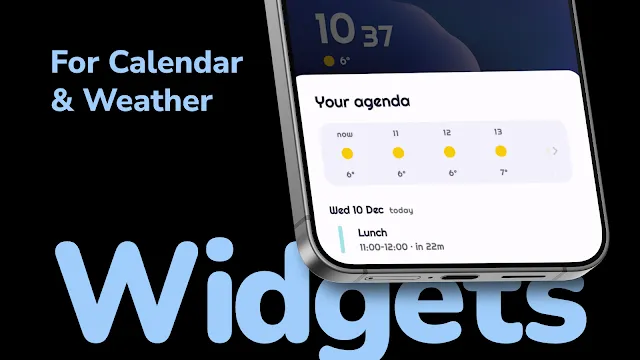
The home screen displays your upcoming calendar events and local weather conditions automatically. To clarify, this critical information sits right at the top of your list. Meanwhile, it updates silently in the background without delays.
You can tap the widget to view a detailed weekly forecast or your full schedule. Consequently, you stay organized without adding heavy and ugly widgets to your screen. It keeps your interface clean.
Advanced Icon Customization
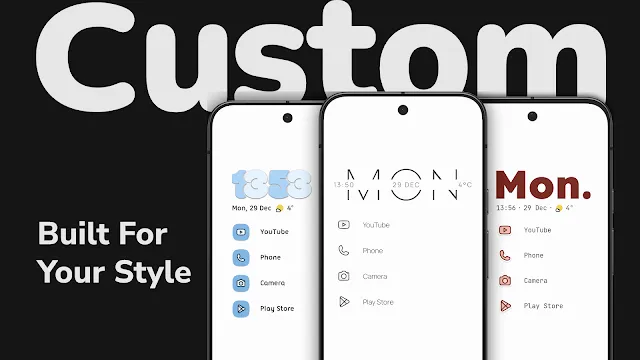
Users can apply custom icon packs to change the visual style of their mobile device. In addition, the software can automatically resize icons to create a uniform appearance. This option eliminates mismatched designs from different developers completely.
You can even hide specific apps that you rarely use to maintain perfect order. Furthermore, you can rename individual icons to personalize your main menu. It gives you total aesthetic control over everything.
Efficient Global Search
The built-in search tool allows you to find everything from one central location. For example, you can search for installed apps, stored contacts, or web results simultaneously. This feature saves you from opening multiple different tools.
You simply pull down on the home screen to open the interactive search bar. Subsequently, you type a few letters to see instant, accurate suggestions. In short, it makes finding information effortless.
Intelligent Notification Filtering
Niagara Launcher includes a smart system that filters out less important alerts automatically. For instance, low-priority notifications do not make your phone vibrate or light up. As a result, you experience far fewer daily interruptions.
You can still access these filtered alerts whenever you want to check them. But they remain hidden from your main view to preserve your peace of mind. It helps you stay focused on your primary tasks.
Ergonomic One-Handed Layout
The entire user interface is designed specifically for easy and comfortable one-handed operation. That is to say, all important elements sit within easy reach of your thumb. You do not need to stretch your fingers awkwardly.
This layout proves highly beneficial on modern smartphones with massive displays. Moreover, it reduces the risk of accidentally dropping your expensive device while walking. It combines practical comfort with modern style.
How to Download and Install Niagara Launcher APK
You can easily upgrade your device setup by downloading the installation file directly to your phone. Firstly, click the download button on our trusted website to obtain the latest version. After the file finishes downloading, follow the straightforward steps below to complete the setup process.
- Open your device file manager app and locate the newly downloaded file.
- Tap the installation file to initiate the standard setup process immediately.
- Enable permissions for unknown sources if your operating system prompts you.
- Wait a few short seconds for the installation to finish successfully.
- Press the home button on your phone to select your new interface.
- Follow the helpful on-screen guide to select your favorite applications.
Niagara Launcher Tips and Tricks
- Swiping right on any app icon reveals hidden shortcuts and custom widgets instantly. This clever action lets you perform quick tasks without opening the full application.
- You can hide the status bar completely to achieve an entirely clean look. To clarify, this action removes the clock and battery icons from the top of your screen.
- Double tapping anywhere on the empty home screen can lock your device quickly. However, you must enable this specific gesture inside the settings menu first.
- Use the built-in search bar to find apps or web results simultaneously. Consequently, you do not need to open a separate web browser for quick queries.
- Group your secondary applications into custom folders along the alphabet scroll. This method keeps your main list short while maintaining easy access to everything.
- Enable the dark mode option to match your system settings or save battery power. This setting looks excellent on modern screens and reduces eye strain at night.
Niagara Launcher Performance Optimization and Battery Savings
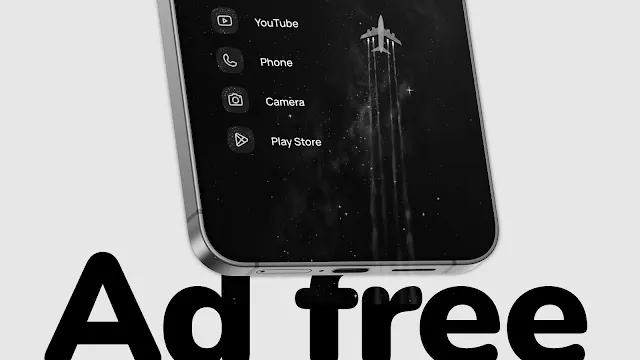
Traditional launchers often run heavy background animations that drain your battery power quickly. On the other hand, this minimal design uses minimal processing power and system memory. Consequently, your phone runs much faster and stays cool during extended use.
The application contains clean code that successfully avoids unnecessary background data wastage. Therefore, you will notice a significant improvement in your device standby time. In short, it keeps your smartphone efficient and fast.
Conclusion
Niagara Launcher provides an exceptional alternative to traditional, messy home screen layouts. By focusing on essential apps and smooth gestures, it changes how you use your smartphone. Most importantly, it removes unnecessary distractions from your digital life completely.
If you want a fast, elegant, and efficient interface, Niagara Launcher is an ideal choice. Download the file today to enjoy a modern mobile experience. To sum up, your phone will feel brand new again.
- Aurora Store
- GG Mouse Pro 3
- aShell
- Terminal Emulator for Android
- Samsung LockStar
- Surfshark
- Tor Browser
-
F1 VM
 Download
F1 VM picture-in-picture android virtual machine
F1 VM picture-in-picture android virtual machine provides...






